| Contents |
|---|
| 1. Introduction |
| 1-1. Starting with 2D |
1. Introduction
Welcome to the 3D Pen Graphics series!
In this series, we'll learn how to make a 3D wireframe engine. Wireframe is a type of 3D where only edges are drawn.
1-1. Starting with 2D
2D Basics
In 2D, every point has 2 coordinates: x, ySince your monitor is 2D, it's very easy to display a 2D shape on the screen.
Let's create a simple program to draw a 2D rectangle. Later, we'll modify the program to work in 3D.
2D Rectangle Program (Part 1)
1) Make a custom block called "Render":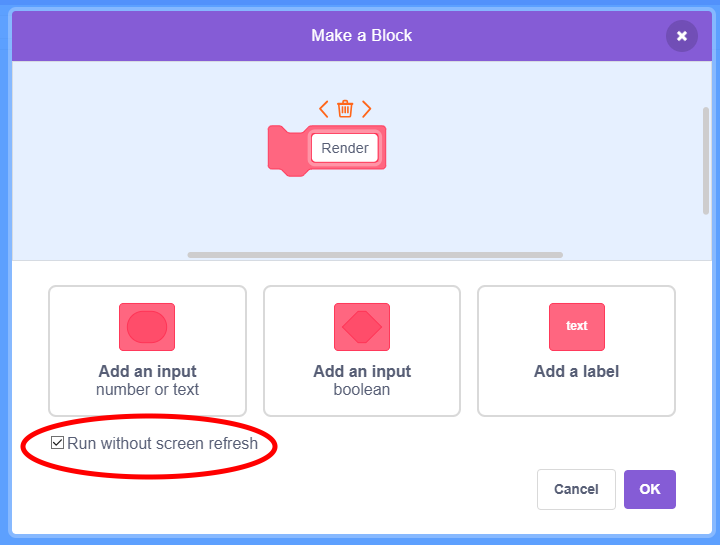
Enable "Run w/o screen refresh" so that block runs instantly.
2D Rectangle Program (Part 2)
2) Create these scripts: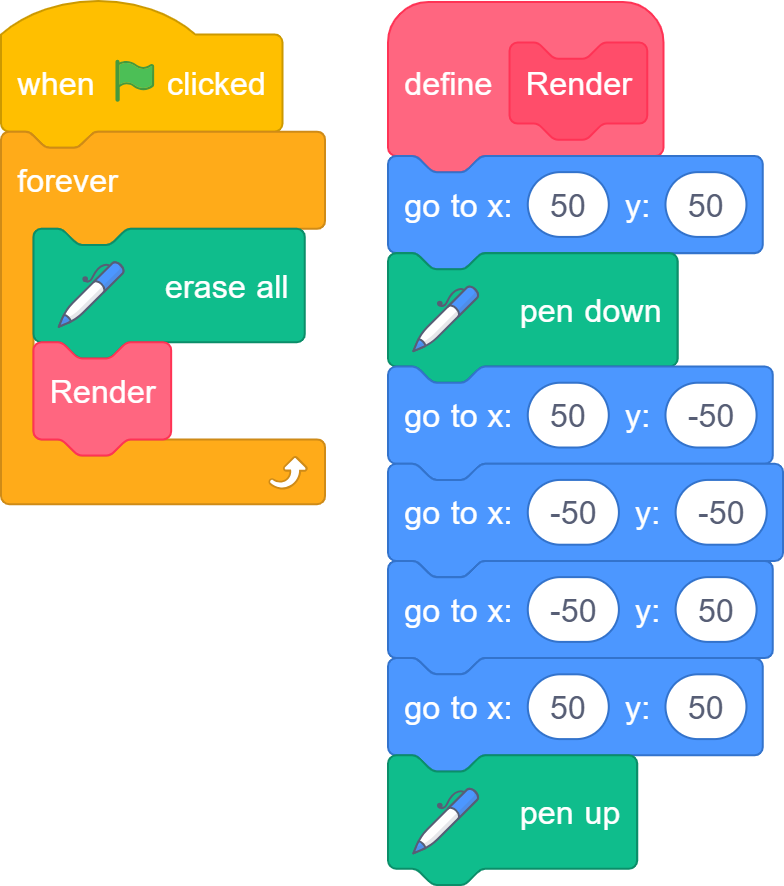
Run the program, and you should see a rectangle on your screen!
(More specifically, a square...)
2D Rectangle Program (Part 3)
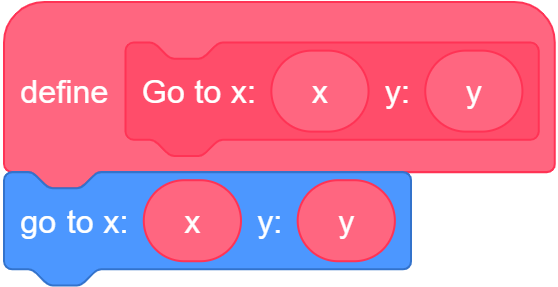
3) Let's create another custom block called "Go to"